

How to Fix Apple Gift Card Region Lock Error in 2026: A Complete Guide
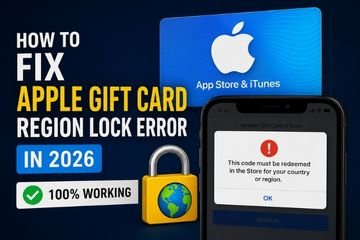
Apple Gift Cards are one of the easiest ways to purchase apps, games, subscriptions, movies, music, and in-app content from the App Store. However, many users encounter a frustrating message when redeeming their code: “This code must be redeemed in the Store for your country or region.”
If you’re facing this issue, don’t worry. In most cases, there is nothing wrong with your gift card. The error occurs because Apple Gift Cards are tied to specific countries or regions.
In this comprehensive guide, you’ll learn why the Apple Gift Card region lock exists, how to fix the region mismatch error, and the safest methods that continue to work in 2026. Whether you’re a gamer, tech enthusiast, or regular Apple user, this guide will help you redeem your Apple Gift Card successfully.
What Is the Apple Gift Card Region Lock?
Every Apple Gift Card is issued for a specific App Store region. Likewise, every Apple ID is associated with a country or region. Apple only allows a gift card to be redeemed if its region matches the country assigned to your Apple ID.
For example:
- A United States Apple Gift Card can only be redeemed with a United States Apple ID.
- A United Kingdom Apple Gift Card only works with a United Kingdom Apple ID.
- A Canadian Apple Gift Card can only be used with a Canadian Apple ID.
If these regions do not match, Apple prevents the redemption and displays a region lock error.
This security system helps Apple prevent fraud, maintain regional pricing, and comply with licensing agreements across different countries.
Why Does the Apple Gift Card Region Error Appear?
The region lock error usually occurs for one of the following reasons:
- Your Apple ID country is different from the gift card’s region.
- You purchased the wrong regional Apple Gift Card.
- You are trying to redeem the gift card in the wrong App Store.
- Your Apple ID still has active subscriptions or a remaining account balance that prevents changing regions.
Fortunately, these issues can usually be resolved without purchasing another gift card.
How to Fix the Apple Gift Card Region Lock Error
The following methods are the safest and most reliable solutions available in 2026.
1. Change Your Apple ID Country or Region
If your gift card belongs to a different country, updating your Apple ID region is often the quickest solution.
Steps to Change Your Apple ID Region
- Open Settings on your iPhone or iPad.
- Tap your Apple ID.
- Select Media & Purchases.
- Tap View Account.
- Open Country/Region.
- Choose the country that matches your Apple Gift Card.
- Accept Apple’s Terms and Conditions.
- Enter a valid billing address if requested.
- Try redeeming the Apple Gift Card again.
Once your Apple ID region matches the gift card, the redemption process usually works immediately.
2. Create a New Apple ID for the Correct Region
If changing your existing Apple ID is not convenient, creating a second Apple ID is another effective option.
Many users choose this method because it allows them to:
- Access region-exclusive apps.
- Download games released in specific countries.
- Redeem foreign Apple Gift Cards without affecting their primary Apple account.
For example, if you purchased a United States Apple Gift Card, simply create a United States Apple ID and redeem the code using that account.
This method is particularly popular among gamers who frequently access region-specific content.
3. Verify the Gift Card Region Before Redeeming
Before entering the redemption code, always confirm that the gift card matches your Apple ID region.
Check the following:
- Country listed on the gift card.
- Currency displayed.
- Region mentioned by the seller.
- App Store associated with the card.
Remember that your physical location does not determine redemption eligibility. Apple only verifies the country assigned to your Apple ID.
Common Apple Gift Card Errors and Their Solutions
“This Code Must Be Redeemed in Another Storefront”
Cause: Your Apple ID country does not match the gift card region.
Solution: Update your Apple ID region or redeem the gift card using an Apple ID registered in the correct country.
“Gift Card Is Invalid“
Possible causes include:
- The code has already been redeemed.
- The code was entered incorrectly.
- The code has been damaged or is unreadable.
- The gift card belongs to a different region.
Always verify the code carefully before requesting support.
Unable to Change Apple ID Country
Apple may prevent you from changing your account region if you have:
- An active Apple Music subscription.
- An Apple One subscription.
- A remaining Apple ID balance.
- Family Sharing enabled.
- Pending purchases or refunds.
Before changing your region, cancel active subscriptions, spend any remaining balance, and wait for pending transactions to complete.
Can a VPN Bypass the Apple Gift Card Region Lock?
No.
Using a VPN changes your internet location but does not change the country assigned to your Apple ID.
Apple verifies your account information rather than your IP address. As a result, using a VPN alone will not resolve the Apple Gift Card region mismatch error.
Any website claiming that a VPN can permanently bypass Apple’s regional restrictions should be treated with caution.
Best Practices Before Buying an Apple Gift Card
To avoid redemption problems, follow these recommendations before purchasing:
- Verify the region of the Apple Gift Card.
- Confirm your Apple ID country.
- Purchase only from trusted and authorized sellers.
- Review the seller’s refund policy.
- Ensure the gift card is intended for the correct App Store region.
Taking a few minutes to verify these details can help prevent unnecessary issues later.
Why Many Gamers Use Multiple Apple IDs
Gamers often maintain multiple Apple IDs because different App Stores offer unique advantages.
- Early access to newly released games.
- Region-exclusive mobile games.
- Special in-game promotions.
- Different pricing for apps and digital content.
- Exclusive downloadable content available only in selected countries.
As long as the Apple Gift Card matches the Apple ID region, redeeming the code is straightforward.
Where to Buy Genuine Apple Gift Cards
Buying Apple Gift Cards from a reliable digital retailer reduces the risk of receiving invalid, previously redeemed, or incorrect regional codes.
A trusted seller should provide:
- Instant digital delivery.
- Genuine Apple Gift Card codes.
- Multiple regional options.
- Secure payment methods.
- Responsive customer support.
If you’re looking for a trusted platform to purchase digital gift cards, Reloadkart offers region-specific Apple Gift Cards along with gaming and entertainment gift cards. Selecting the correct country version before checkout helps prevent region mismatch errors and ensures a smooth redemption experience.
Final Thoughts
The Apple Gift Card region lock is a built-in security feature designed to ensure that gift cards are redeemed only in the country for which they were issued. Although the error can be frustrating, resolving it is usually straightforward.
The most effective solution is to ensure that your Apple ID country matches the region of your Apple Gift Card. Avoid unofficial tools or websites that claim to bypass Apple’s regional restrictions, as they are often unreliable and may compromise your account security.
Before purchasing any Apple Gift Card, always verify the supported country and choose a trusted seller. Platforms such as Reloadkart make it easier to purchase region-specific digital gift cards, helping you avoid common redemption errors and enjoy a seamless experience.
By following the methods outlined in this guide, you can fix the Apple Gift Card region lock error safely, legally, and effectively while ensuring a hassle-free redemption process in 2026.