

Gaming Voucher Code Already Redeemed? Here’s How to Fix It
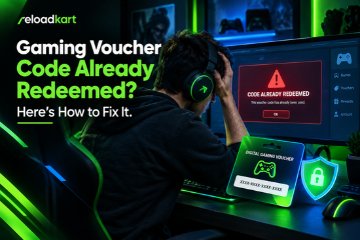
What to Do If Your Gaming Voucher Code Has Already Been Redeemed
Buying a gaming voucher should be simple. You purchase a code, redeem it on the correct platform, and enjoy your favourite game. However, problems can occur when you enter the code and see an error stating that it has already been redeemed.
This can be frustrating, especially when you have just purchased the voucher. You may wonder whether someone else has used your code or if your money is lost. Fortunately, an already-redeemed message does not always mean you have lost your purchase.
Whether you use a Steam Wallet voucher, PlayStation Store gift card, Xbox gift card, or another digital gaming product, the first step is to identify the cause of the error.
In this guide, you will learn what to do if your gaming voucher code has already been redeemed, how to contact customer support, and how to protect yourself from similar problems in the future.
1. Check Your Gaming Account and Balance
Before reporting a used gaming voucher code, check your account balance and transaction history. The code may have been redeemed successfully, even if you did not notice the confirmation.
Start by signing in to the account where you intended to redeem the voucher. Check your wallet balance and recent transactions for the expected credit.
For example, Steam users can review their Steam Wallet balance and account history. Xbox users can check their Microsoft account balance and relevant transaction records.
Follow these steps:
- Sign in to the correct gaming account.
- Check your wallet balance or account credit.
- Review your recent transactions for a matching entry.
- Confirm that you did not redeem the code on another account.
If the balance has increased, the voucher may already have been applied. If you cannot find the transaction, continue with the next steps.
2. Verify the Voucher Code and Region
Incorrect code entry or regional restrictions can cause gaming voucher redemption problems. Check the code in your order confirmation and compare it with the code you entered.
Pay attention to letters and numbers that look similar. Also, make sure you purchased the correct voucher for your gaming platform.
Regional compatibility is equally important. Some digital gift cards work only in specific countries or store regions. For example, a PlayStation Store gift card purchased for one country’s store may not work with an account registered in another region.
However, regional restrictions usually produce a different error from an already-redeemed message.
Read the exact error carefully before taking further action. Check the product description and the platform’s official redemption instructions. Do not change your account region unless the platform confirms that doing so is appropriate.
3. Save the Error Message and Purchase Details
If your gaming voucher code still does not work, collect the information needed to report the problem.
Clear evidence can help the seller or gaming platform investigate the issue. It can also reduce delays during the support process.
Keep the following details ready:
- Your order number and purchase receipt.
- The voucher name and intended region.
- The date and approximate time of purchase.
- A screenshot of the redemption error.
- Any support ticket or transaction reference.
Never share your gaming account password or post your complete voucher code publicly. Provide sensitive purchase information only through an official support channel when requested.
Keeping these records is especially useful when buying digital gaming vouchers online. If the issue requires further investigation, you will have the information needed to explain what happened.
4. Contact the Gaming Platform’s Support Team
After checking your account and voucher details, contact the official support team for the platform where you attempted redemption.
The platform may be able to investigate the code’s status and explain the available options. However, support teams may have limits on the information they can share or the actions they can take.
Visit the official support website for Steam, PlayStation, Xbox, or the relevant gaming service. Explain that your recently purchased voucher displays an already-redeemed error.
Include your purchase date, a screenshot of the error, and any additional information requested by the support team.
You can use this message as a starting point:
I recently purchased a gaming voucher, but the platform reports that the code has already been redeemed. The expected balance is not showing in my account. Could you please investigate the issue and advise me on the next steps?
Save the support ticket number and any response you receive. If the platform cannot resolve the problem, share the reference number with your voucher seller when appropriate.
5. Contact the Seller for Assistance
If the gaming platform cannot resolve the issue, contact the retailer that supplied the voucher.
The seller may review your order, check delivery records, and explain the investigation process. The available resolution will depend on the evidence, the circumstances, and the seller’s refund or replacement policy.
If you purchased a gaming voucher through Reloadkart, contact the appropriate customer support channel with your order details and the redemption error.
When contacting the seller, ask these questions:
- Can you verify the voucher’s delivery status?
- What evidence is needed to investigate the issue?
- Should I provide a support ticket from the gaming platform?
- What refund or replacement options are available under your policy?
Provide accurate information and follow the seller’s verification process. A refund or replacement is not guaranteed, as each case may require a separate investigation.
Avoid purchasing another voucher until you understand what happened to the original code. This can help prevent unnecessary spending.
6. Secure Your Gaming Account if Necessary
An already-redeemed voucher error does not automatically mean your gaming account has been compromised. However, unfamiliar purchases or unexpected account changes may indicate a security problem.
If you suspect unauthorised access, take these precautions:
- Change your password if you believe your account is at risk.
- Enable two-factor authentication where available.
- Review recent sign-in activity.
- Sign out of unfamiliar sessions if the platform offers this option.
- Report suspicious transactions through official support.
Be cautious of anyone who promises to recover a used voucher in exchange for your password or an additional payment. Never share your account credentials or security codes with unverified individuals.
If you suspect fraud, keep your purchase receipt and relevant communications. Report the incident to the appropriate platform or payment provider.
7. How to Avoid Gaming Voucher Redemption Problems
You can reduce the risk of voucher problems by taking a few precautions before and after purchasing a digital code.
Buy from Reliable Sellers
Choose established retailers with clear product descriptions, accessible customer support, and transparent policies. Check the seller’s reputation before purchasing a digital gaming voucher.
Check Regional Compatibility
Confirm that the voucher matches your gaming platform and account region. Read the product details carefully, including any country restrictions.
Redeem Codes Through Official Platforms
Use the official website, app, or console to redeem your voucher. Avoid unfamiliar websites that request your code or account credentials.
Keep Your Purchase Receipt
Save your order confirmation and delivery email until the voucher has been redeemed successfully. These records may help if you need to report an issue.
Be Careful with Unusually Low Prices
Very low prices can sometimes indicate a risky offer. Check the seller, product details, and purchase conditions before placing your order.
Read the Product Description
Make sure you understand the voucher’s intended platform, region, currency, and redemption requirements. A gift card for one platform or region may not work on another.
When purchasing from Reloadkart or another digital product retailer, review the product information before completing your order. Taking a moment to check compatibility can help you avoid common redemption issues.
Conclusion
Finding out that your gaming voucher code has already been redeemed can be frustrating, but you should investigate the problem before assuming your purchase is lost.
Start by checking your gaming account, verifying the voucher details, and saving the error message. Next, contact the platform’s support team and approach the seller if you need further assistance. If you notice suspicious account activity, take steps to secure your account.
For future purchases, choose reliable sellers, check regional compatibility, and keep your order confirmation until redemption is complete.
Whether you are purchasing a Steam Wallet voucher, PlayStation Store gift card, Xbox gift card, or another digital gaming product, these steps can help you handle redemption errors and make more informed purchasing decisions.