

How to Redeem Free Fire Diamonds: Step-by-Step Guide
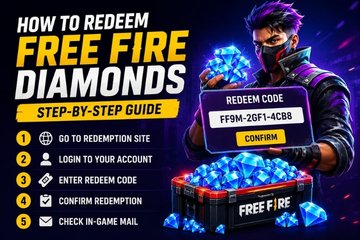
Free Fire Diamonds are the premium currency used in Garena Free Fire. Players use Diamonds to purchase characters, skins, bundles, emotes, weapon cosmetics, event items, and other premium rewards.
If you have purchased a Free Fire Diamonds voucher or received a redemption code, you may be wondering how to use it correctly. The process is simple, but the exact steps can depend on the type of voucher and your account region.
In this guide, you will learn how to redeem Free Fire Diamonds, where to enter a Free Fire redeem code, what to do when a code does not work, and how to avoid common redemption problems.
What Are Free Fire Diamonds?
Free Fire Diamonds are the premium in-game currency of Garena Free Fire. Unlike regular game rewards, Diamonds are generally purchased or received through eligible promotions and vouchers.
Players can use Free Fire Diamonds for a variety of in-game purchases, including:
- Character skins and bundles
- Emotes
- Weapon cosmetics
- Luck Royale items
- Event rewards
- Special passes and premium content
- Limited-time offers
Because Diamonds have real-world value, players should always use trusted sources when purchasing vouchers or digital products.
What You Need Before Redeeming Free Fire Diamonds
Before you try to redeem a Free Fire voucher or code, check a few important details.
Check the Voucher Region
Some Free Fire vouchers and redemption codes are restricted to specific regions. A voucher purchased for one market may not work with an account registered in another region.
Always check the product description and regional restrictions before purchasing a voucher.
Check Your Free Fire Account
Make sure you know which Free Fire account you want to receive the Diamonds on. If you are using an account-based delivery method, you may also need your Free Fire Player ID.
Your Player ID can usually be found in your Free Fire profile.
Keep Your Voucher Information Safe
If you receive a digital voucher code by email, keep the original email or receipt until the code has been successfully redeemed.
Never share your redemption code publicly. Someone else may be able to use it if the code has not yet been redeemed.
How to Redeem a Free Fire Diamonds Code
If you have a valid Free Fire redeem code, follow these steps.
Step 1: Find Your Free Fire Redemption Code
First, open the email, receipt, or digital voucher containing your Free Fire code.
Copy the code carefully. Avoid changing any letters or numbers while copying it.
Some codes contain characters that can look similar, such as the number zero and the letter O. Copying the code directly can help reduce typing errors.
Step 2: Open the Official Free Fire Redemption Page
Free Fire redemption codes are normally redeemed through Garena’s official redemption system.
Open the official redemption page and sign in with the account connected to your Free Fire profile.
Be careful when searching for a redemption website. Avoid third-party pages that ask for your Free Fire password, OTP, or other private account information.
Step 3: Sign In to the Correct Account
Choose the login method connected to your Free Fire account.
Depending on your account and region, supported login options may include Google, Facebook, VK, or other available platforms.
Before continuing, confirm that you are signed in to the correct account. Redeeming a code on the wrong account may send the reward to a different profile.
Step 4: Enter Your Free Fire Redeem Code
After signing in, find the redemption code field.
Enter or paste your Free Fire redeem code into the required fields. Check the entire code before submitting it.
For example, if your code contains a combination of letters and numbers, make sure there are no missing characters or unwanted spaces.
Step 5: Submit the Code
Select the redeem or confirmation option to submit your code.
If the code is valid and meets the redemption requirements, the system should display a confirmation message.
Some rewards may take a short time to reach your account. Avoid submitting the same code repeatedly if the system has already accepted it.
Step 6: Check Your Free Fire Account
Open Free Fire and sign in to the account used during redemption.
Check your Diamond balance and in-game mailbox. Depending on the type of reward, the Diamonds or other items may be delivered through the game’s mail system.
If the reward does not appear immediately, wait for a short period and check again.
How to Redeem Free Fire Diamonds Without a Redeem Code
Not every Free Fire Diamond purchase uses a redemption code.
Some digital stores provide direct delivery to your Free Fire account. In this case, you may need to provide your Free Fire Player ID during the purchase process instead of receiving a code.
For example, when purchasing a Free Fire Diamonds product through Reloadkart, check the product description carefully to understand the delivery method. If the product provides a voucher code, you will need to follow the appropriate redemption process. If it uses direct delivery, follow the instructions provided with your order.
Understanding the difference between a redeemable voucher and direct Diamond delivery can help prevent mistakes.
Why Is My Free Fire Redeem Code Not Working?
There are several reasons why a Free Fire redemption code may not work.
The Code Has Expired
Some Free Fire promotional codes have a limited validity period. Once a code expires, it can no longer be redeemed.
Always check the terms and validity of a promotional code before trying to use it.
The Code Has Already Been Redeemed
Many redemption codes can only be used once. If the code has already been claimed, it cannot normally be redeemed again.
The Code Is Not Available in Your Region
Regional restrictions can prevent a legitimate Free Fire voucher from working.
Check whether the voucher supports your account’s region before purchasing or redeeming it.
The Code Was Entered Incorrectly
A single incorrect character can cause a redemption error.
Copy and paste the code whenever possible. If you enter it manually, carefully compare every character with the original voucher.
The Redemption Service Is Temporarily Unavailable
Technical issues or heavy traffic can sometimes affect the redemption system.
If your code is valid but the system is not responding correctly, wait and try again later.
Free Fire Diamonds Voucher vs. Direct Diamond Purchase
Understanding the difference between these two options is important.
A Free Fire Diamonds voucher normally provides a code that you redeem through the appropriate redemption system. Vouchers can be useful when buying a digital gift for another player or when you prefer prepaid products.
A direct Free Fire Diamonds purchase does not necessarily provide a redeemable code. Instead, the Diamonds may be delivered directly to the Free Fire account associated with the Player ID provided during the order.
Before buying Free Fire Diamonds online, always check the product description, supported region, delivery method, and redemption instructions.
Reloadkart offers digital gaming products, so checking the individual product details before placing an order is the best way to understand how your purchase will be delivered.
Tips for Redeeming Free Fire Diamonds Safely
Follow these simple practices to protect your account and avoid redemption problems:
- Purchase Free Fire Diamonds from a trusted seller.
- Check the voucher’s supported region before buying.
- Confirm whether the product uses a redeem code or direct delivery.
- Make sure you are using the correct Free Fire account.
- Keep your purchase receipt until the order is complete.
- Do not share your redemption code with other people.
- Never provide your Free Fire password to a voucher seller.
- Avoid websites promising unlimited or hacked Free Fire Diamonds.
- Check the validity and conditions of promotional codes.
- Use official Garena services when redeeming promotional codes.
A legitimate Free Fire voucher should not require your account password.
Final Thoughts
Redeeming Free Fire Diamonds is straightforward when you know which type of digital product you have purchased. For a standard redemption code, the process involves signing in to the correct Free Fire account, entering the valid code through the appropriate redemption system, and checking your account after confirmation.
The most important steps are to verify the voucher region, use the correct account, check the code carefully, and avoid suspicious websites.
If you are buying Free Fire Diamonds online through Reloadkart, always review the product information before placing your order. Confirm the delivery method, supported region, and redemption instructions so you know exactly what to expect.
With these simple checks, you can redeem your Free Fire Diamonds with confidence and get back to enjoying the game.